
Running a cluster
Every node serves the whole UI and the whole API. There is no admin node and no node you have to be on to do a particular thing.
Status: shipped and running. This page is an outline of behaviour that is already stable.
How a request is served
- Reads come from the local replica, so they do not cross the network.
- Writes go through the Raft leader, wherever it happens to be.
- Node-local operations, anything that has to touch a specific host's Docker or ZFS, are proxied exactly one hop over mTLS, with the original user asserted so the audit trail names a person rather than a machine.
Joining a node
A node joins with a short-lived, single-use token generated on a node that already exists. Issuing it also issues the joining node's cluster-internal mTLS certificate, so there is no shared secret to distribute and nothing to copy between hosts by hand.
Start on a node already in the cluster, under Nodes → + Join token.
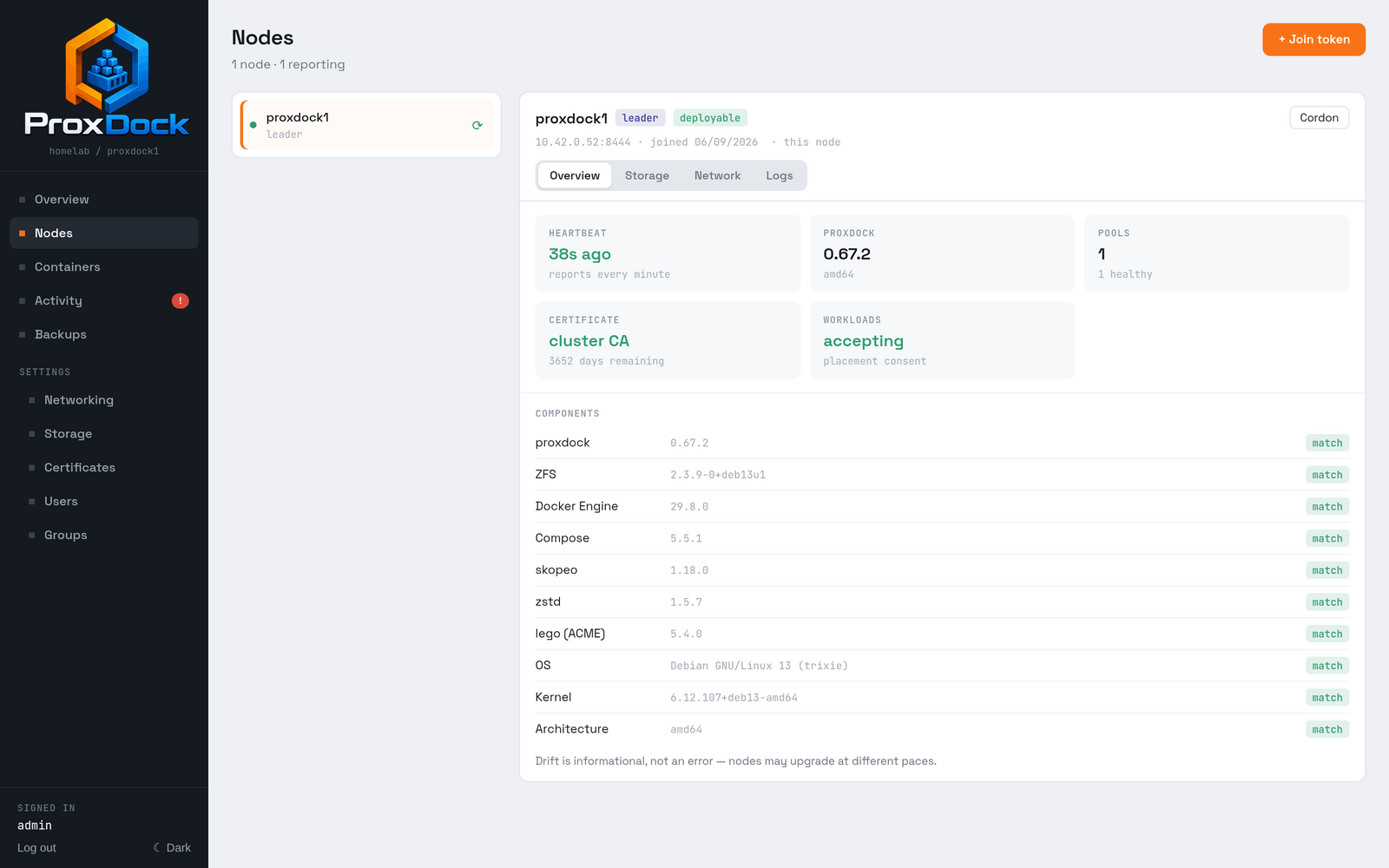
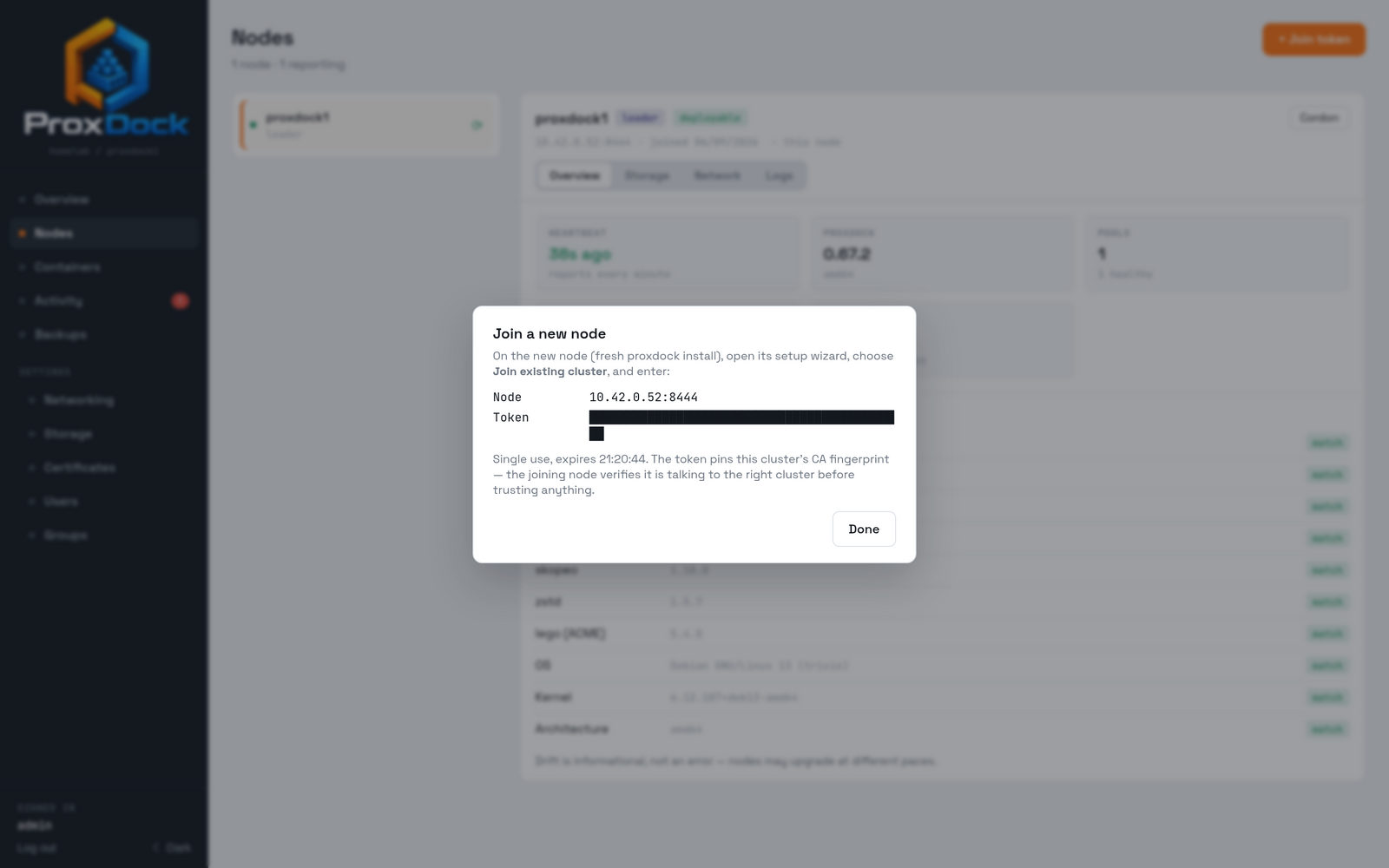
On the new node, which must be a fresh install that has not been set up, open its setup wizard and choose to join.
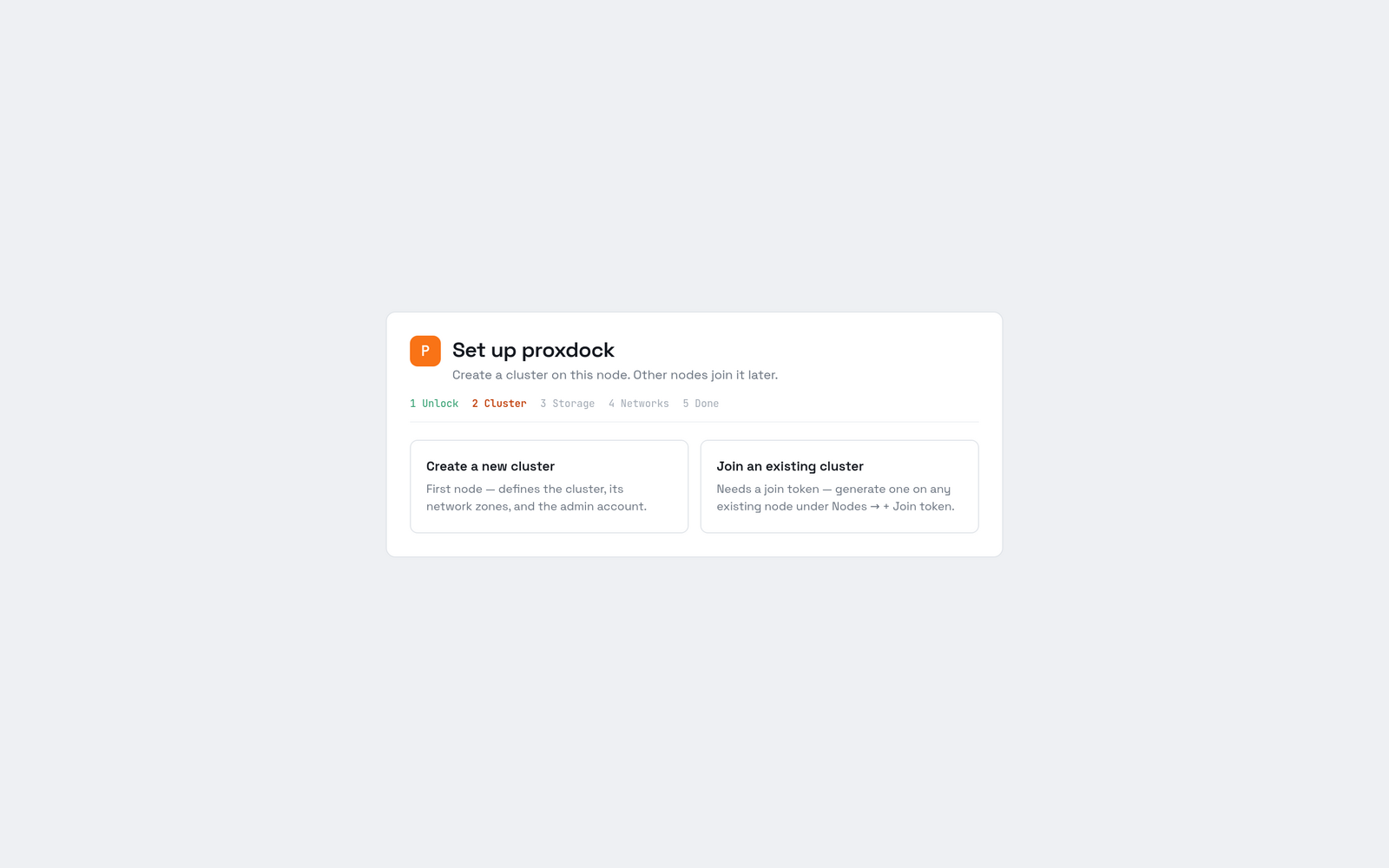
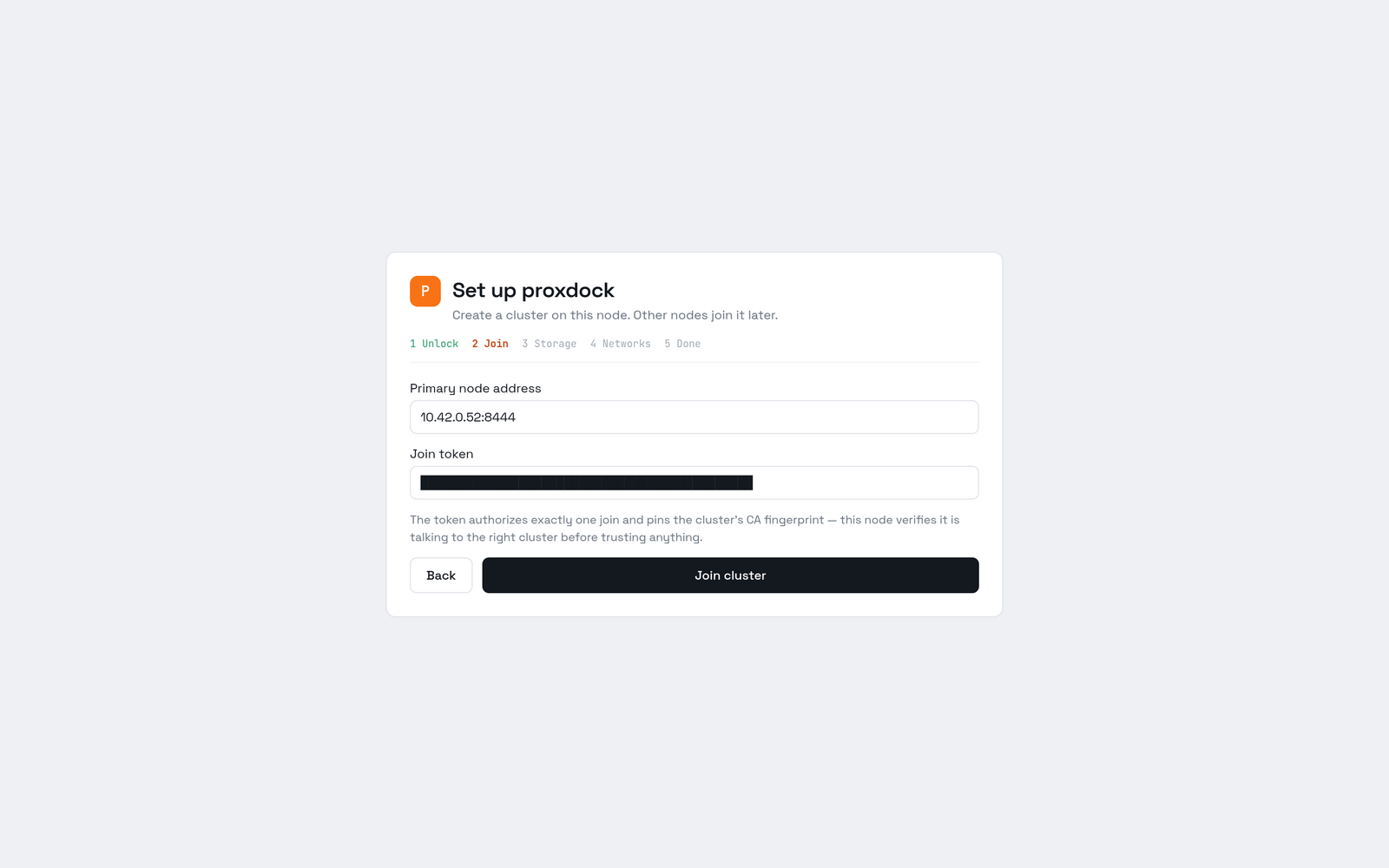
The rest of the wizard is the same three pages as a first run: storage, then networks, then done.
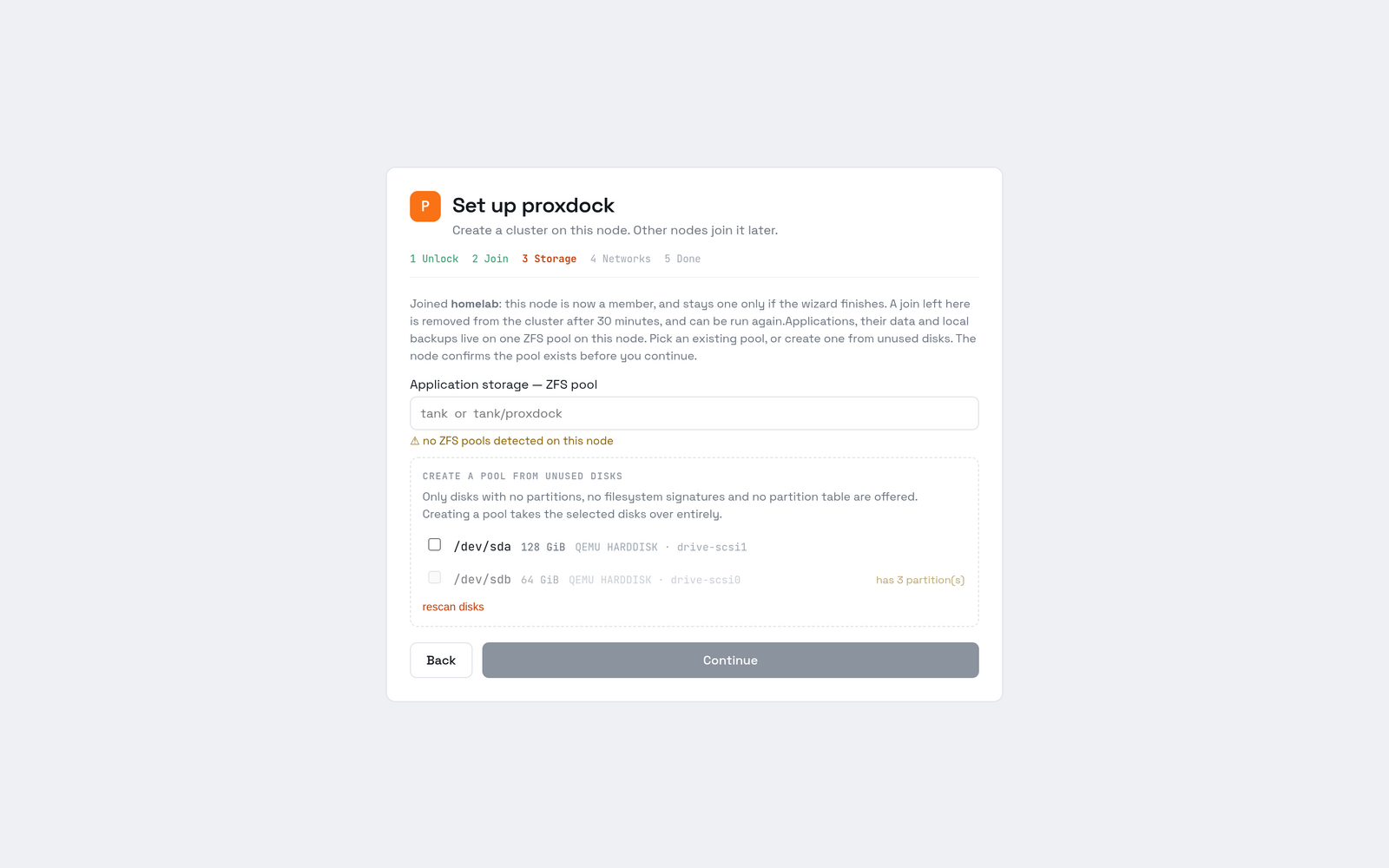
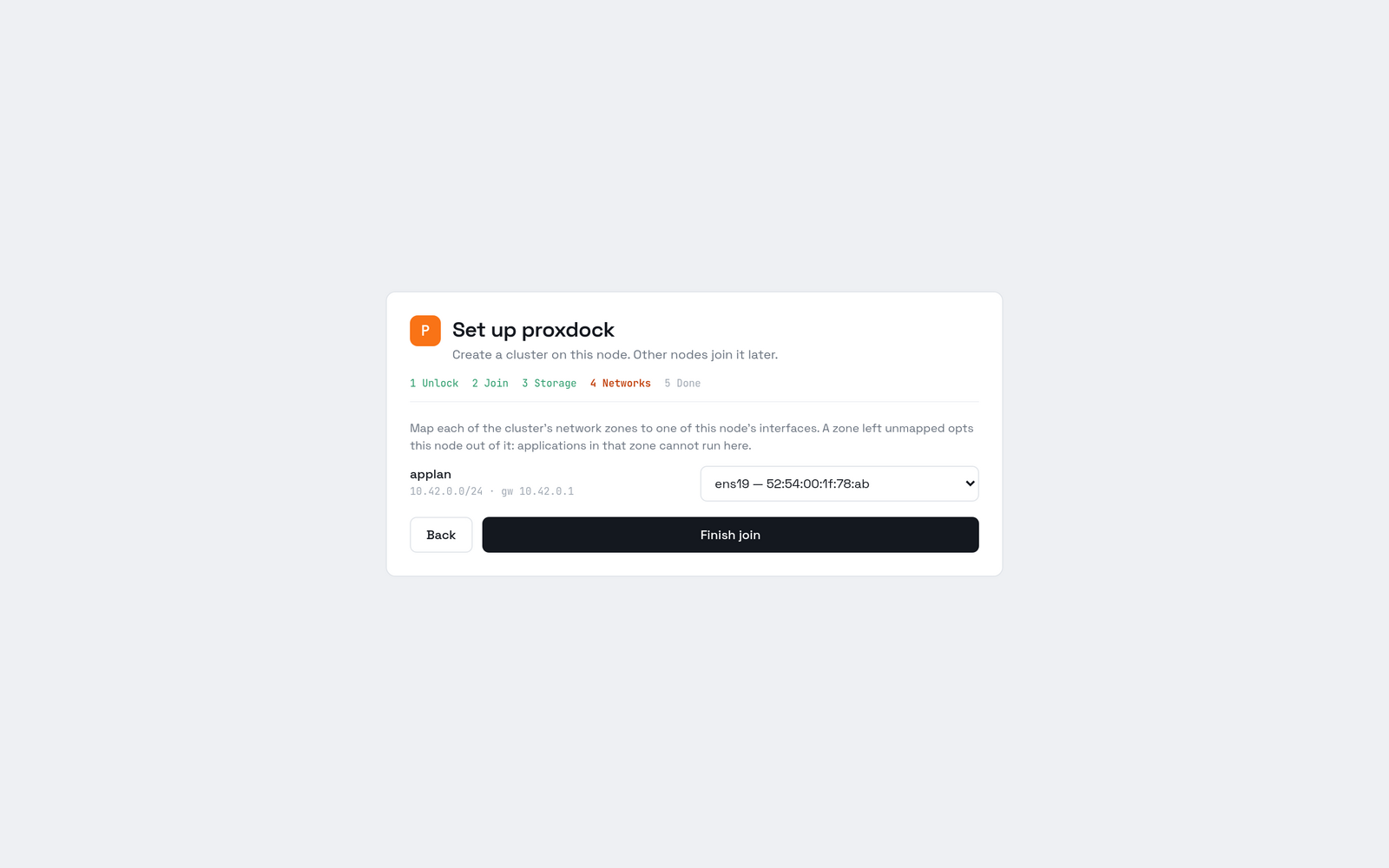
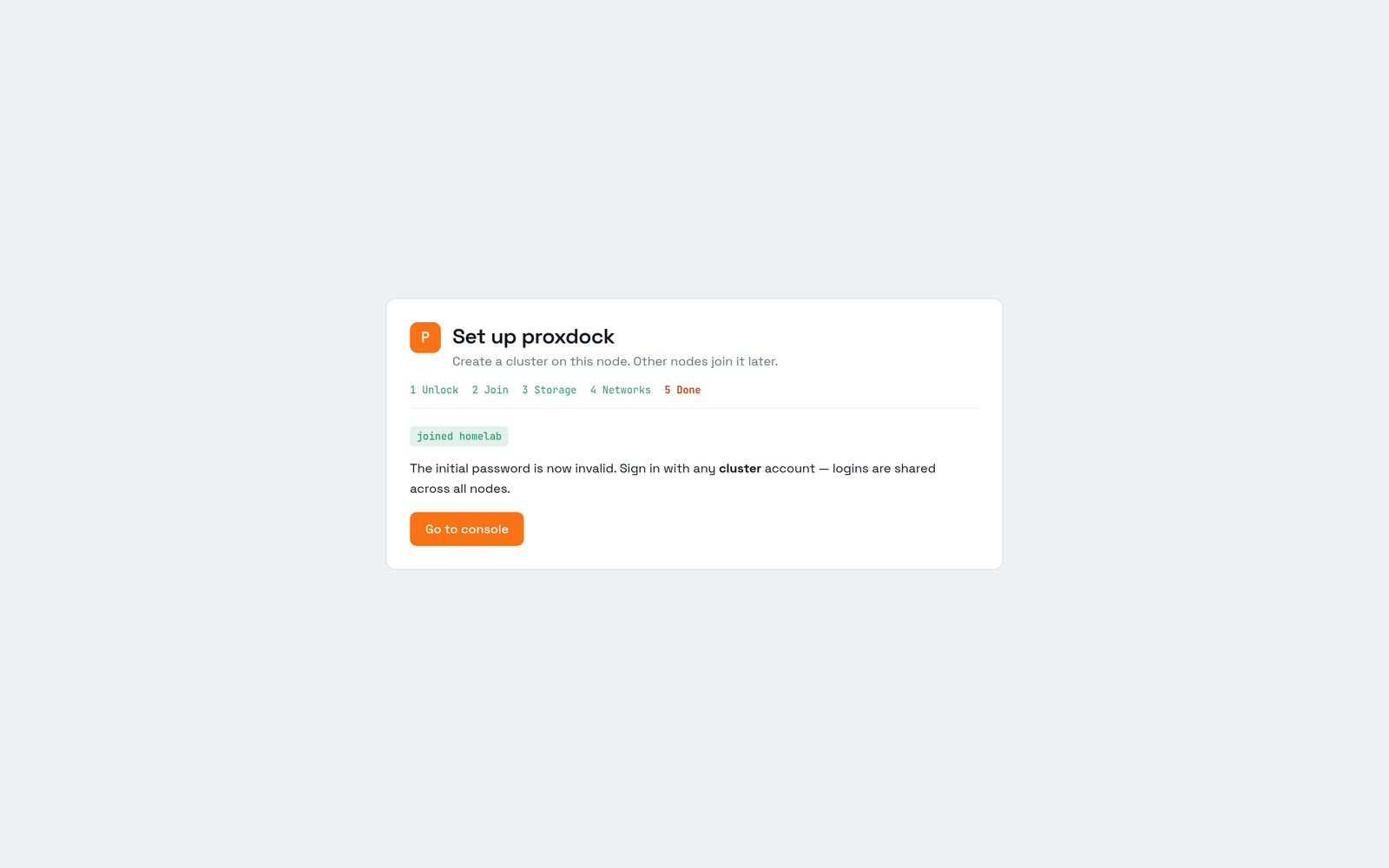
Finish the wizard. The node is added to the cluster's membership when you press Join cluster, several steps before the end. Abandoning the wizard after that point leaves a member that is not running. Up to and including proxdock 0.67.2 that could cost the cluster its quorum permanently.
What a healthy cluster looks like
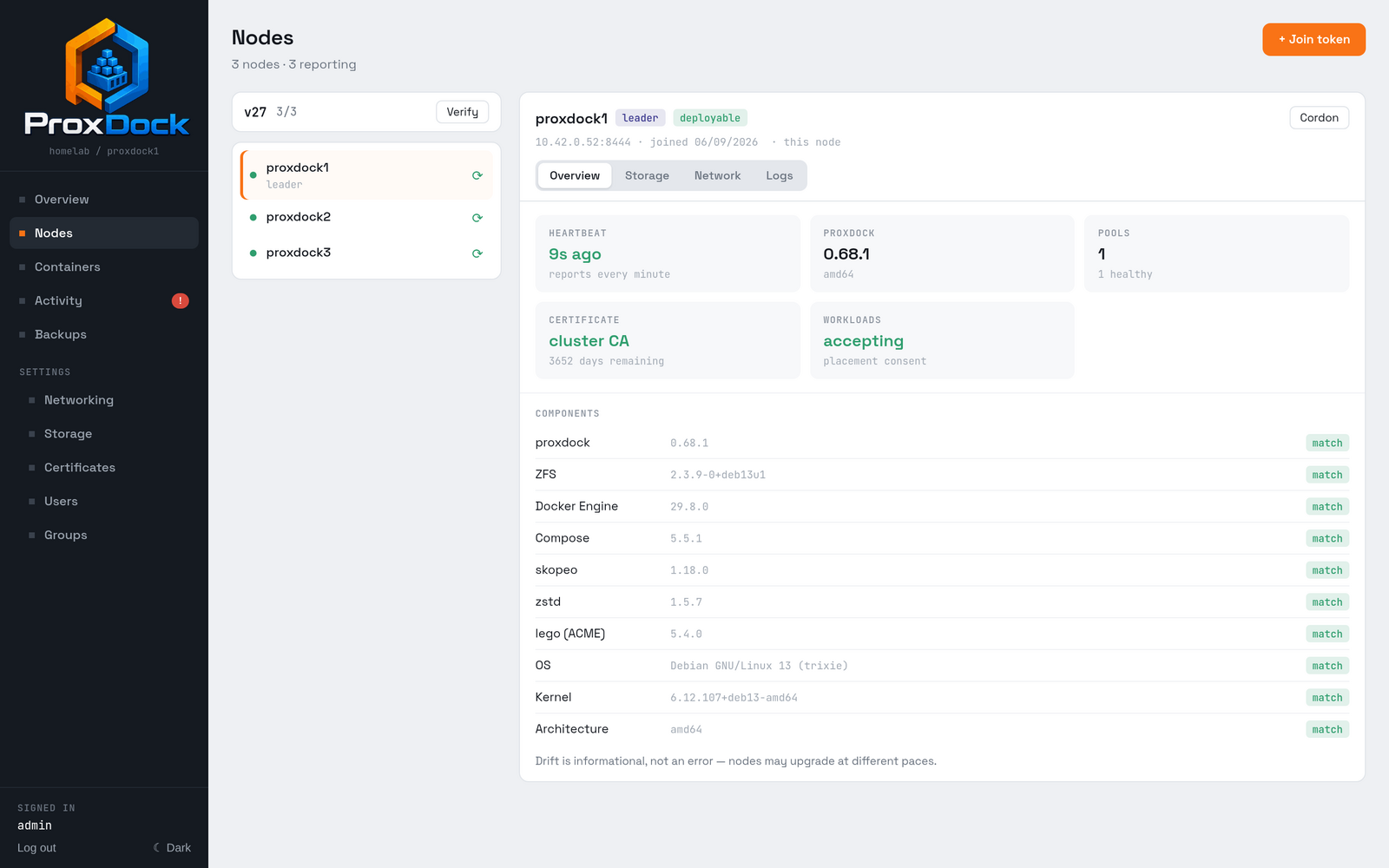
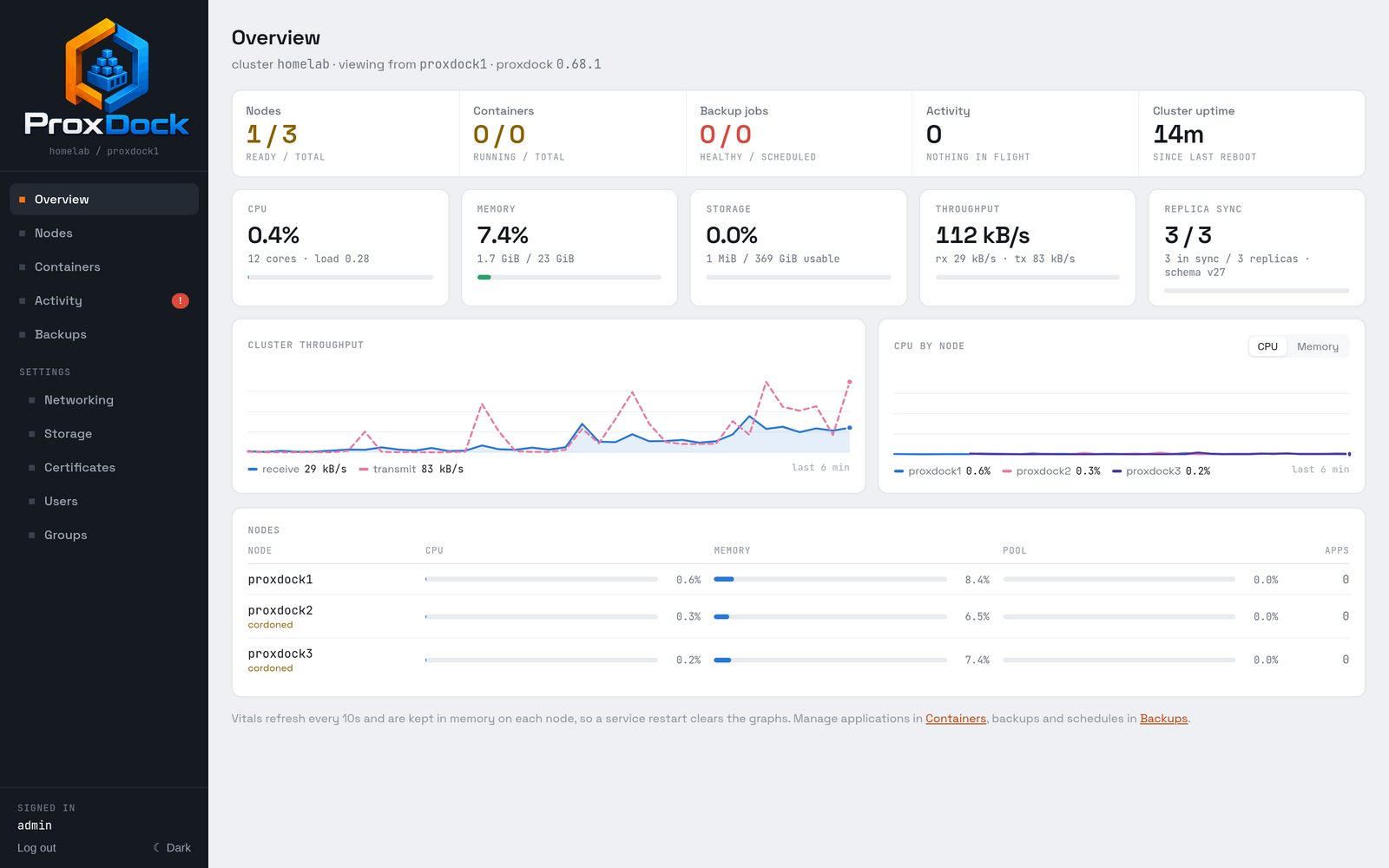
3 / 3 is the replica count: every node has digested its own copy of the store at the same log position. v27 is the committed schema version.
The components table is a drift check. It lists the versions of everything ProxDock drives on that node, so a node running an odd ZFS or Docker is visible rather than surprising. Drift is informational: nodes may legitimately upgrade at different paces.
Quorum
Losing a majority makes the cluster read-only, and it says so in a banner rather than failing one write at a time with an unhelpful error. Reads keep serving from the local replica throughout. Applications on a node that is merely unreachable keep running if the host itself is alive; they just cannot be managed until it comes back.
Accepting workloads
A node that has just joined does not accept workloads. It is cordoned, and
it says so plainly: not deployable, with the reason spelled out under the
node name.
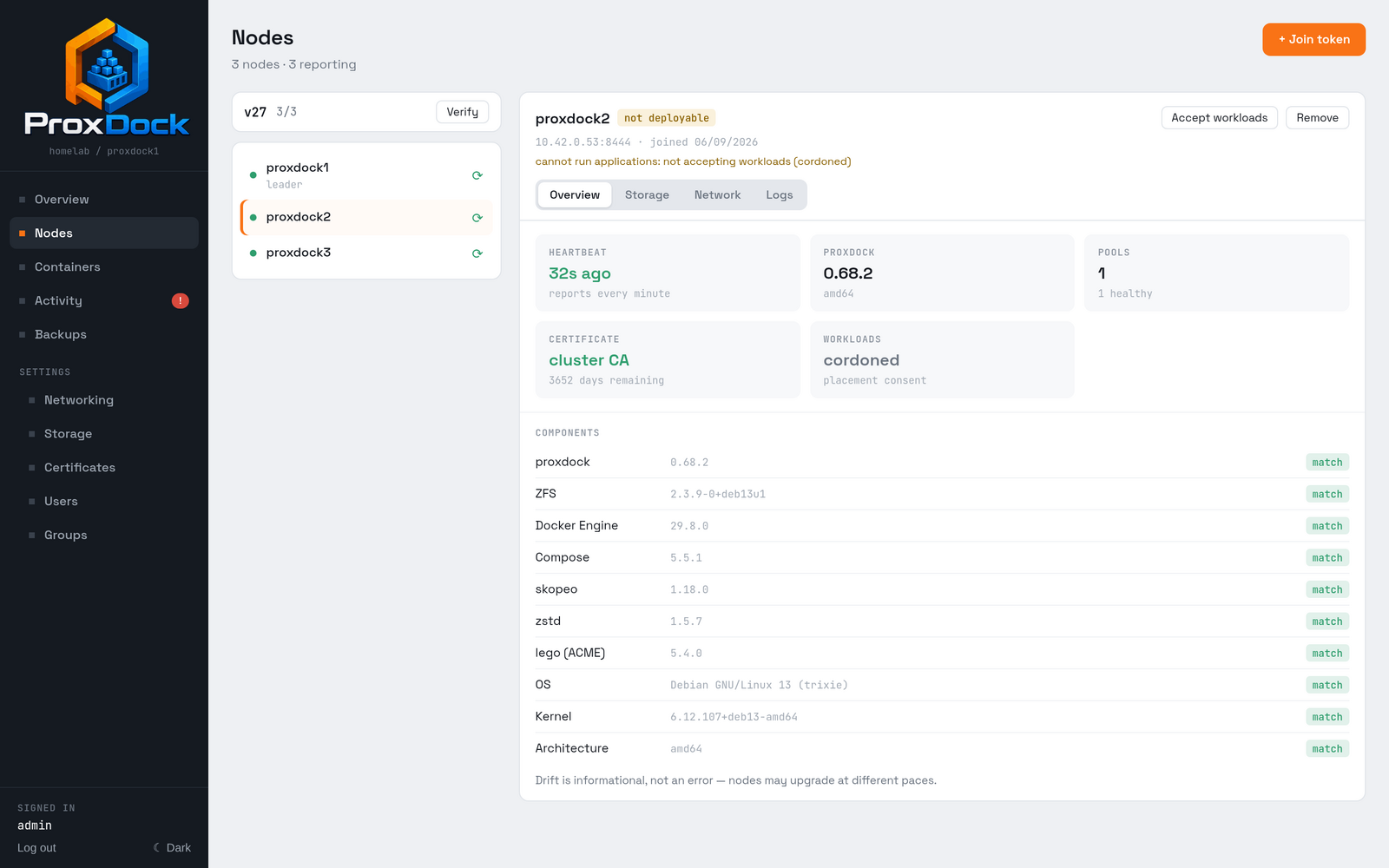
cannot run applications: not accepting workloads (cordoned) is the whole explanation. Nothing is wrong with the node; it has not been asked to take anything yet.
This is placement consent rather than a health check. Joining a cluster and volunteering to run other people's applications are two decisions, and the second one is yours to make once you are satisfied the node is set up the way you want it. Press Accept workloads.
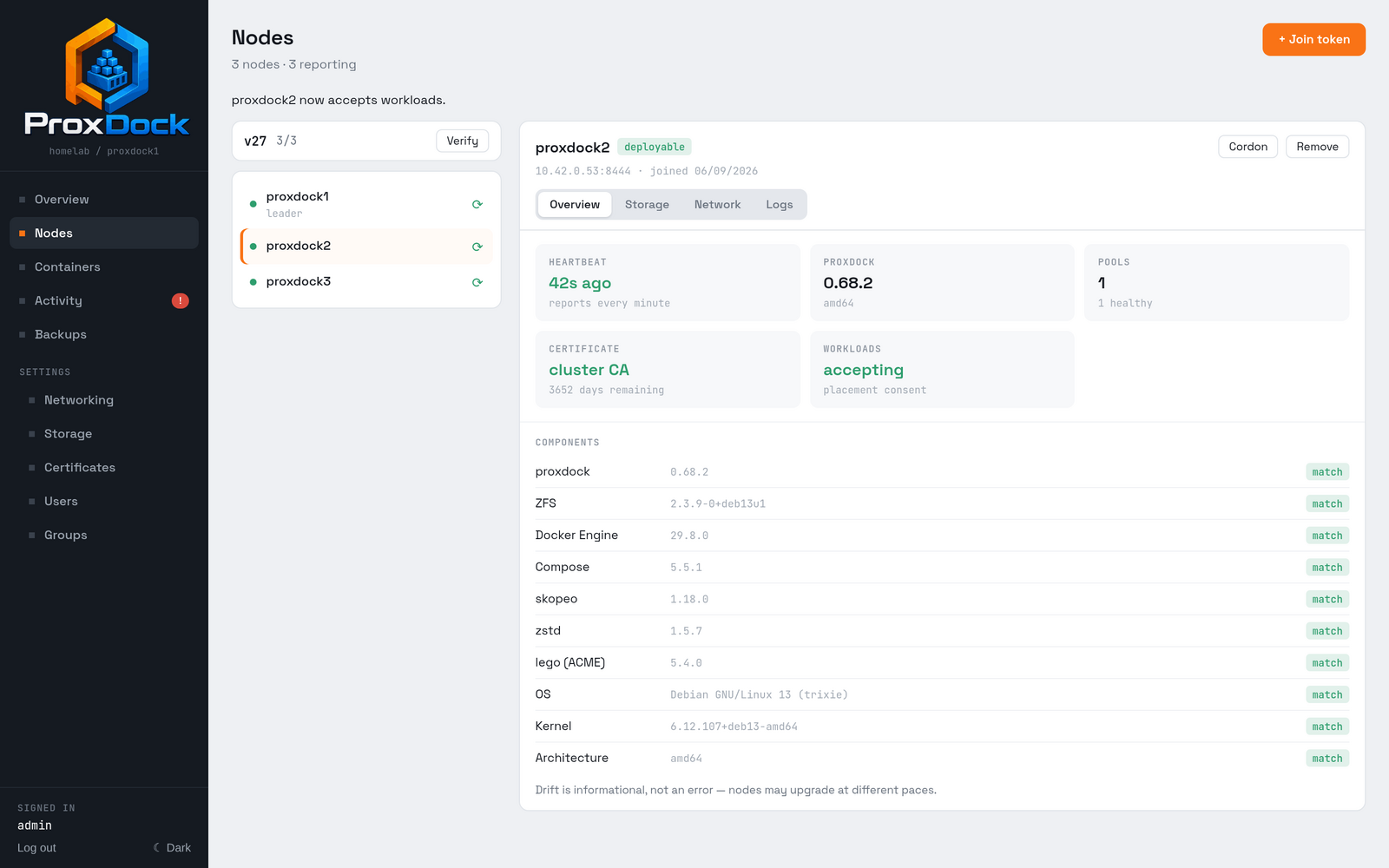
A cordoned node is not offered in the migration target list at all, which is the usual reason a node you have just added does not appear there.
Migrating an application
Migration is the same code path as backup and restore, which means the restore path is exercised every time an application moves rather than on the day you need it.
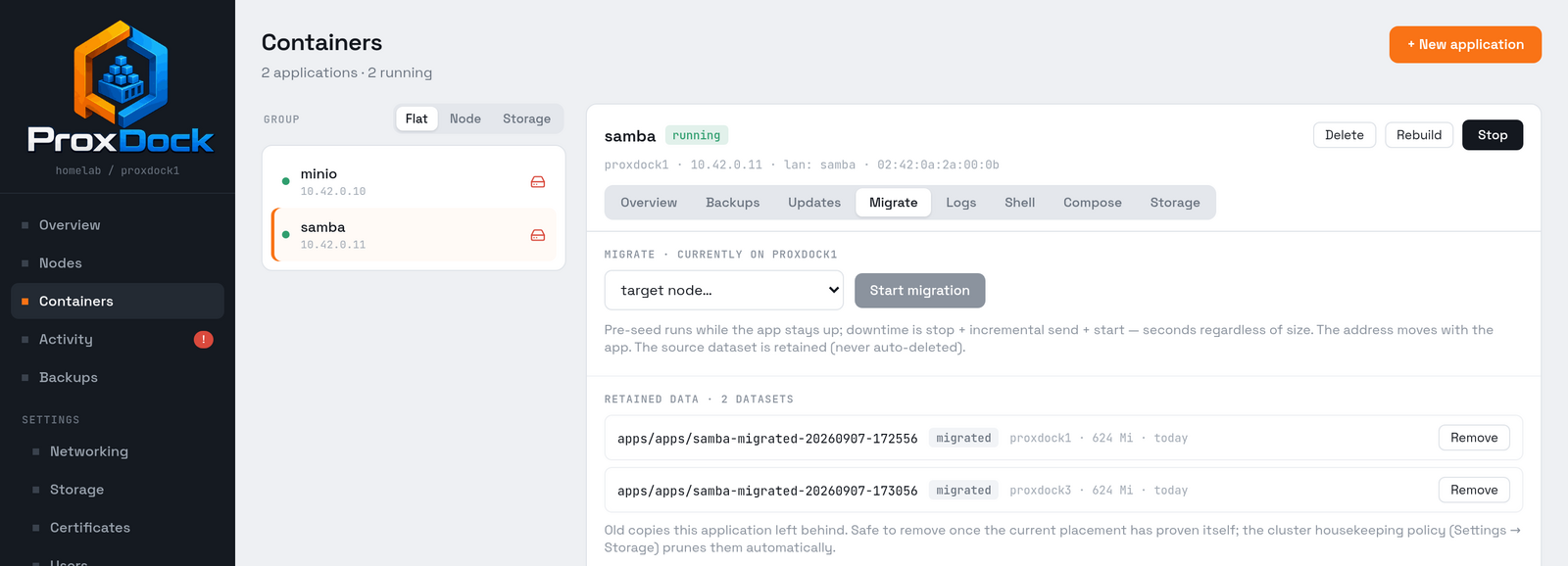
The application below is a Samba share holding 624 MiB across 68 files, which is enough that moving it is not instant and the pre-seed is doing real work.
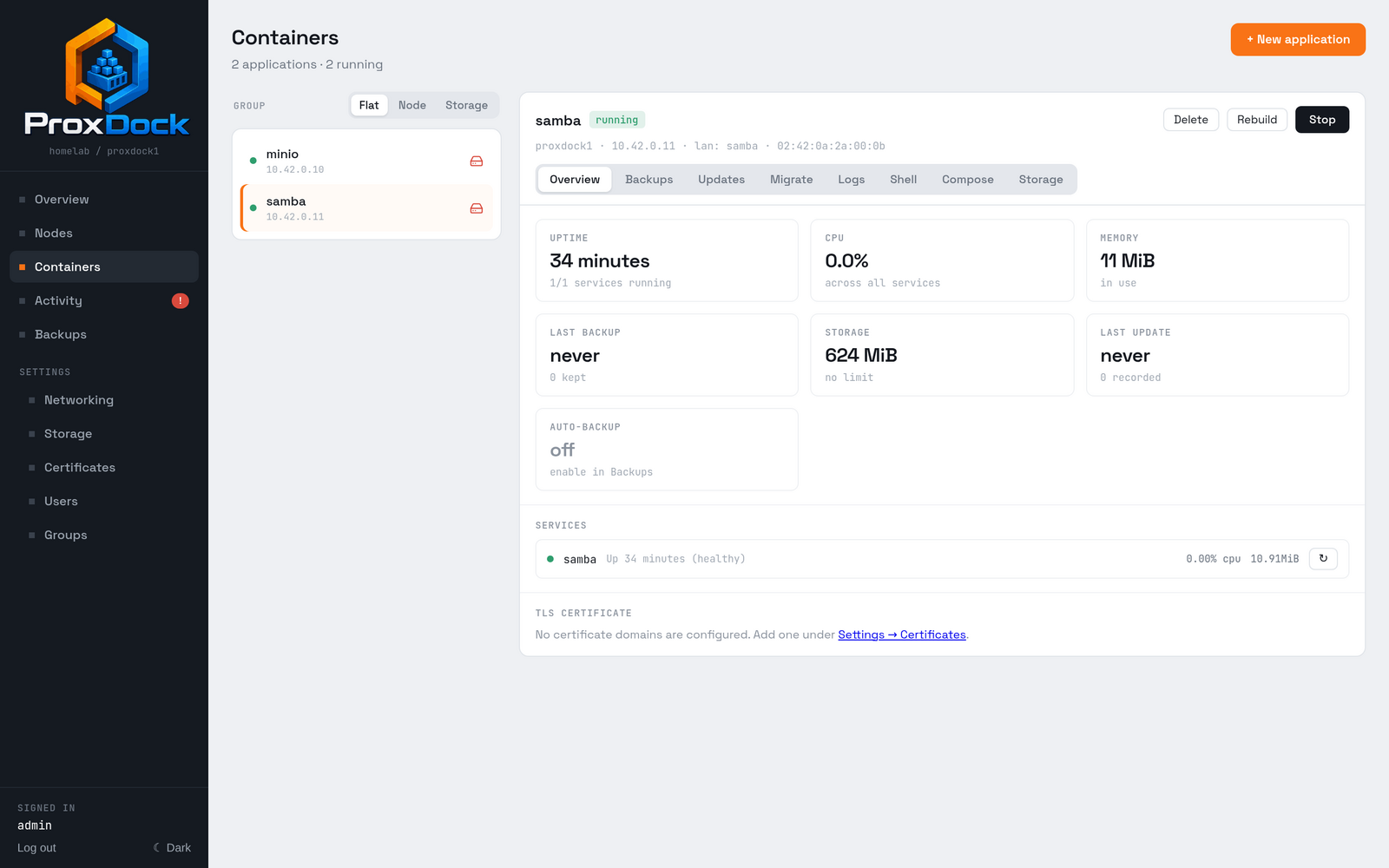
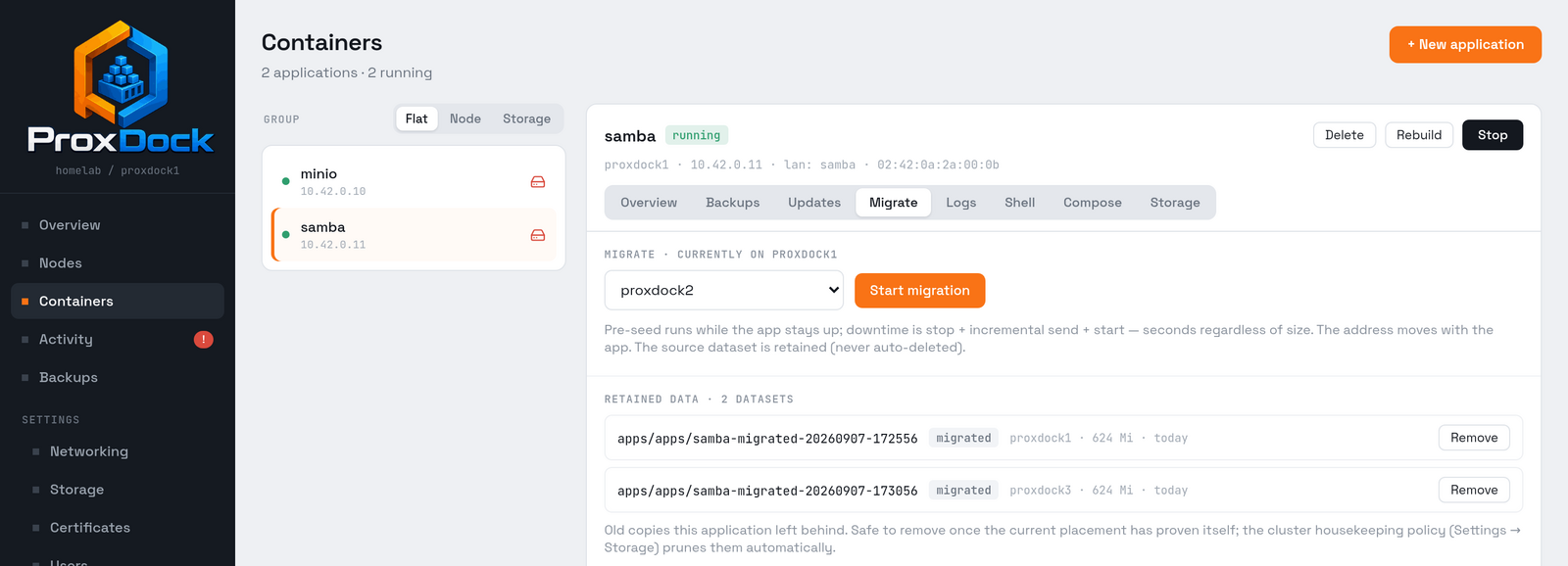
Open the application and choose Migrate. Every node in the cluster that maps the application's zone and has a pool is offered; a node that opted out of the zone during its join is not, because the application could not run there.
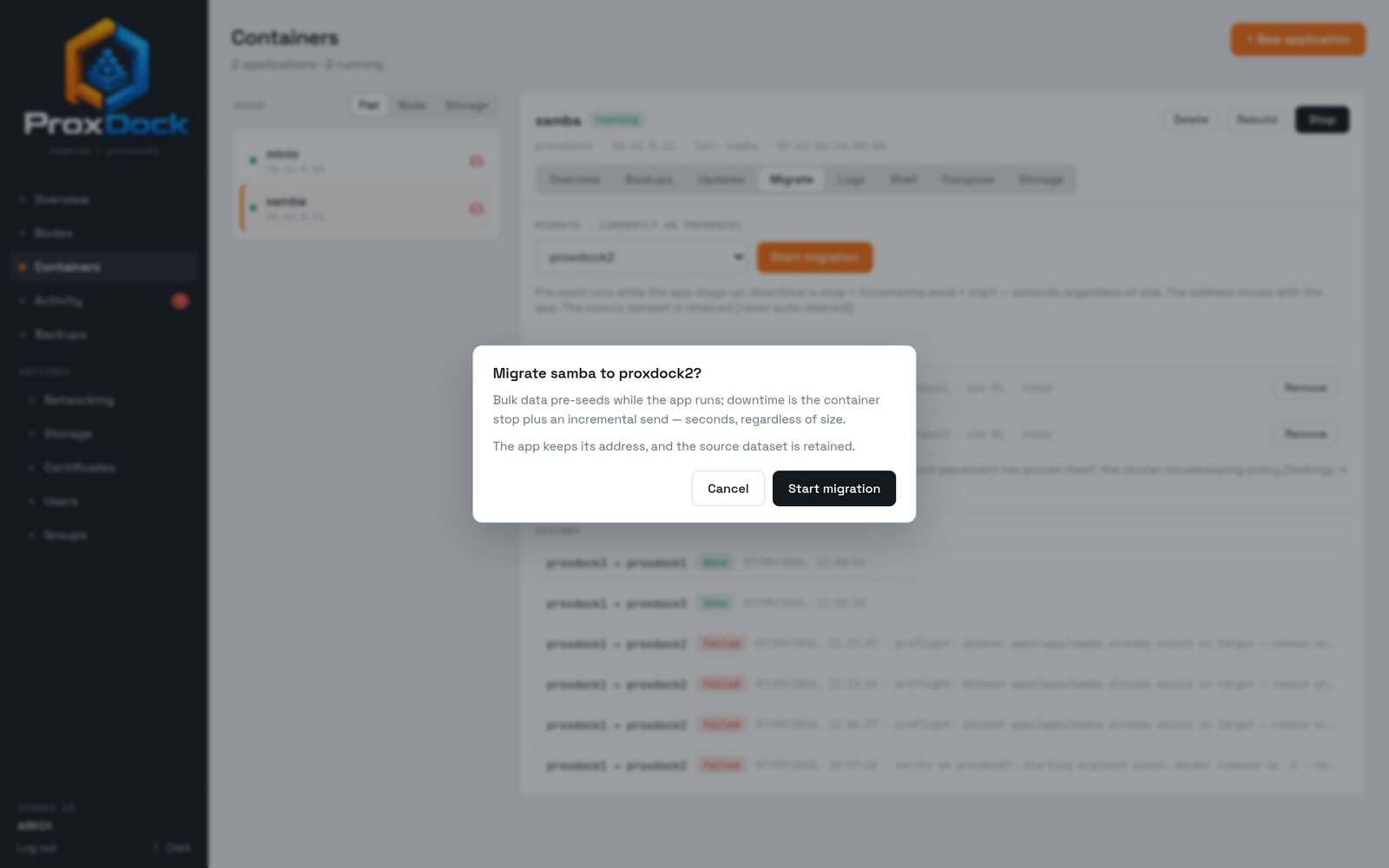
Three stages run:
- Preflight. Target pool, free space, and the zone's network actually being present on the target are checked before anything is sent, so a move that cannot work fails in a second rather than after a long transfer.
- Pre-seed. A snapshot is taken and sent while the application keeps serving. This is the part that takes as long as the data is large.
- Cutover. Stop, a second snapshot, an incremental send of just what changed during the pre-seed, and start on the far side.
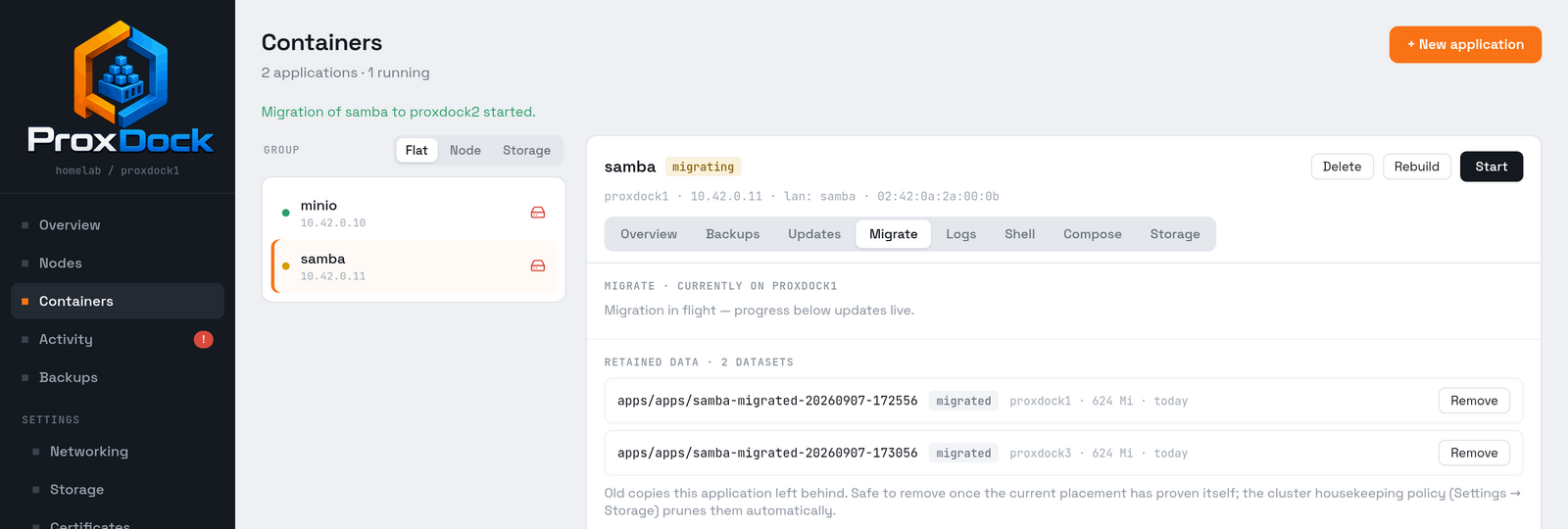
Three runs of that move around a three-node cluster, the same 624 MiB each time, took 96, 105 and 149 seconds end to end, nearly all of it pre-seed with the share still mounted. What the incremental send has to carry at cutover is only what changed while the pre-seed was running, so the interruption does not grow with the size of the data.
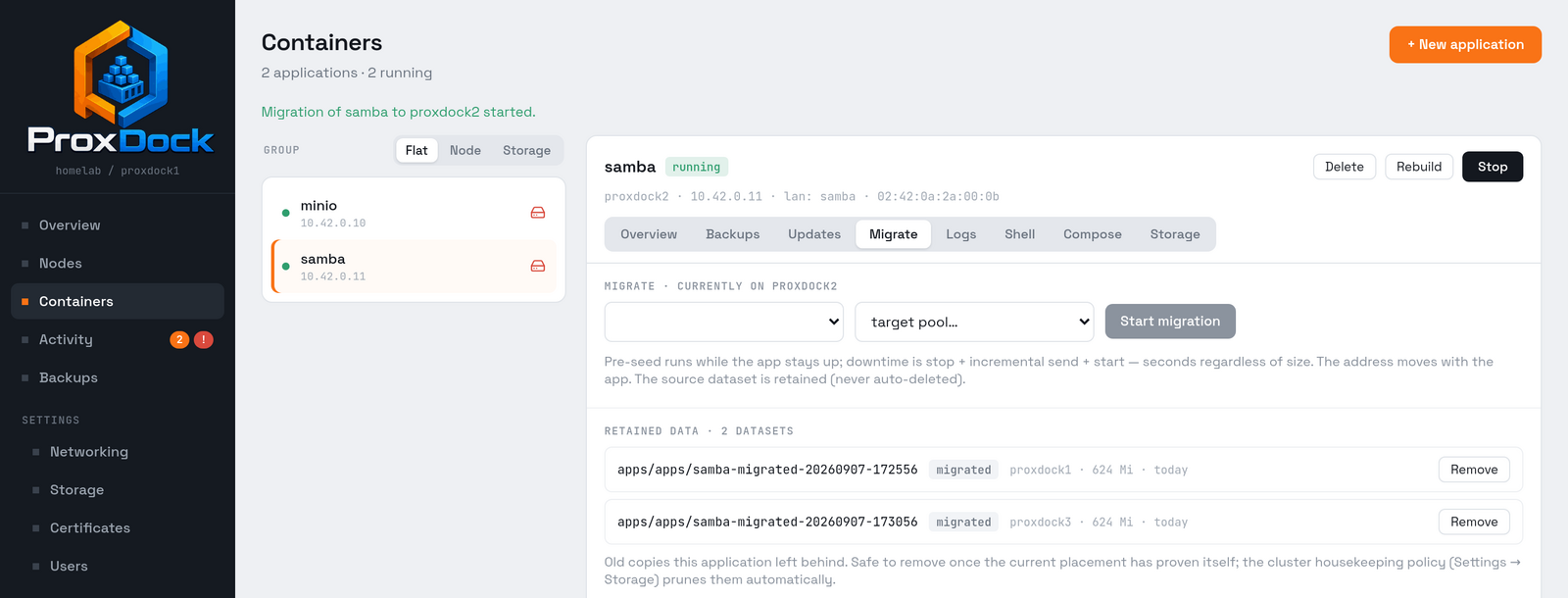
The address moves with the application, and because the MAC is derived from the address, neither the DHCP reservations nor the ARP tables around it notice that the workload changed hosts.
What is left behind
The source dataset is never deleted. It is renamed out of the way, with the migration's timestamp, and held so the move is reversible if the application turns out to be unhappy on its new host.
Those copies are listed on the application's own Migrate tab, and cluster-wide under Settings → Storage → Unassigned Datasets.
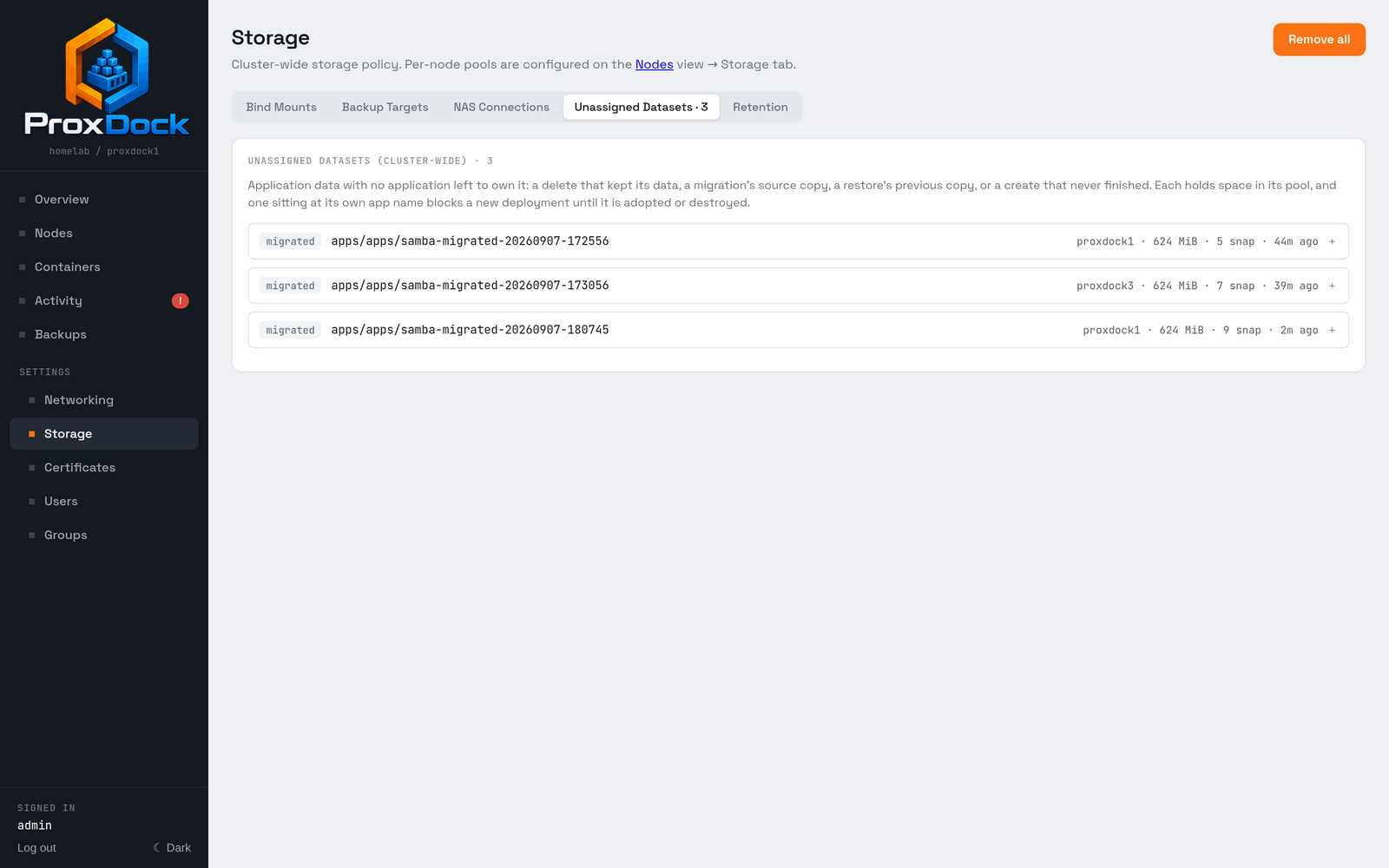
Housekeeping prunes them on the cluster-wide retention policy on the same page. Copies that are a safety net over data that still exists elsewhere, migration sources among them, are pruned by default; datasets that are the only copy of something are not, and are removed by hand or not at all.
A dataset already sitting at the application's own name on the target blocks the move, and preflight says so before anything is sent. The leftover a failed attempt leaves behind is listed here as a leftover, naming the node that actually runs the application, and can be destroyed from this screen. It is never adopted and never pruned automatically, because unlike a migration source copy it may be the only copy of something.
Before 0.68.3 that leftover was invisible here and had to be destroyed on the target host by hand, which meant a migration that failed once could not be retried from the UI at all.
Upgrading
Installing the packages is the whole procedure. There is no separate migration step to run, no maintenance mode, and nothing to coordinate by hand.
On one node:
apt update && apt upgrade
On a cluster, the same two commands on each node. Schema migrations are append-only and ship inside the binary, so upgrade every node together when a release adds one; the changelog says which releases do.
What the cluster does on its own
Each node advertises the schema version its binary supports in its heartbeat. The leader watches for that, and the moment every node advertises a pending schema, it raises the cluster's schema epoch itself and checkpoints the result so every replica proves it holds identical state afterwards.
Nodes therefore upgrade one at a time without the cluster tearing: a node running the new binary keeps serving on the old schema until the last one catches up.
- A node that is still down holds the upgrade. That is deliberate: the epoch does not move until every member can honour it. The Nodes view names what it is waiting on.
- The Finalize button is a manual accelerator, nothing more. Left alone, the leader gets there within about a minute of the last node coming up.
- Replica digests are the proof. After finalizing, every node digests its own copy of the store at the same log position; matching digests are what "in sync" means on the Nodes view.
Rolling back
Downgrading a node below the cluster's committed schema epoch is not supported. Migrations are append-only and a raised epoch is not lowered, so plan an upgrade as something you go forward through. Restoring a node from a snapshot re-runs migrations against old state, which is the one path that can diverge a replica; re-seed it from the leader instead.