
Compose files
ProxDock does not replace Docker. It writes Compose files and runs
docker compose against them. What it adds is a transformation step: an
upstream file goes in, and every change ProxDock would make is shown, with the
reason, before anything is written to disk.
Status: the rules below are accurate and shipped. The full table of refusal codes is still being written.
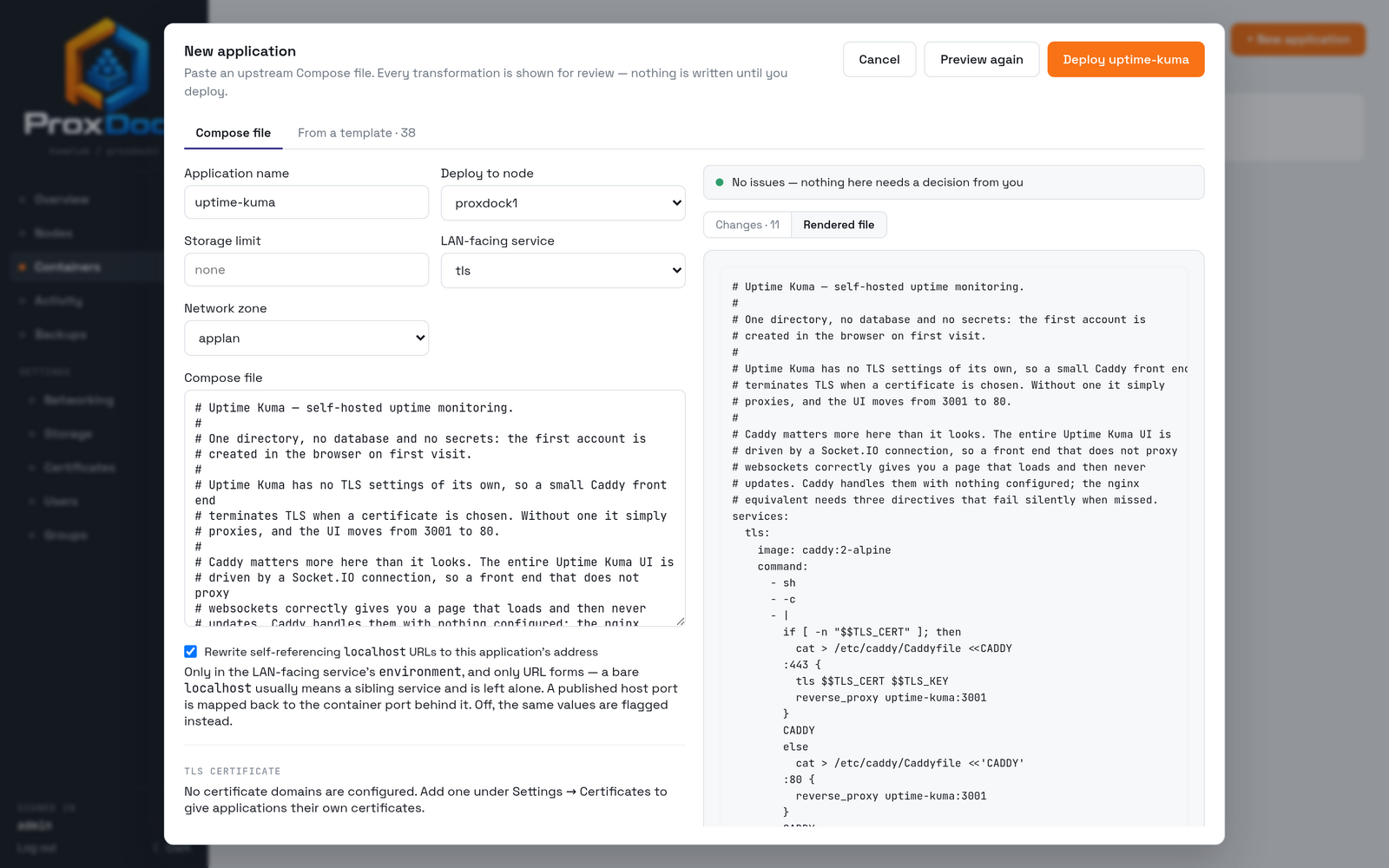
The other half of the preview is the file that comes out, which is what gets
written and handed to docker compose.
Deploying an application walks the whole flow with screenshots.
What gets changed
| Path | Change | Why |
|---|---|---|
ports: |
Removed | The application gets its own address on a zone; published host ports would collide across the cluster |
restart: |
Forced to no |
Startup is gated by the orchestrator so a node reboot does not race the dataset mount |
image: |
Pinned to a digest | Resolved at deploy so a rollback is exact rather than approximate |
| Named volumes | Rewritten into the application dataset | A snapshot has to capture the data, which means it has to live where the snapshot is taken |
| Relative binds | Rewritten into the application dataset | Same reason; a relative path outside the dataset is invisible to a backup |
networks: |
Split into a per-stack bridge plus the zone | Only the service that needs an address gets one; the rest talk over the bridge |
What gets refused
These are refusals, not warnings. The deploy does not proceed, and the reason is attached to the field that caused it.
privileged: truenetwork_mode: host- A bind mount of the Docker socket
Referring to your own identity
A Compose file can refer to the application's own identity, resolved during the transform, so a file that needs to know its own base URL can say so portably.
| Variable | Resolves to |
|---|---|
${PROXDOCK_IP} |
The address allocated to the application on its zone |
${PROXDOCK_APP} |
The application's name |
More of these exist; the complete list is being written up.
Reading the preview
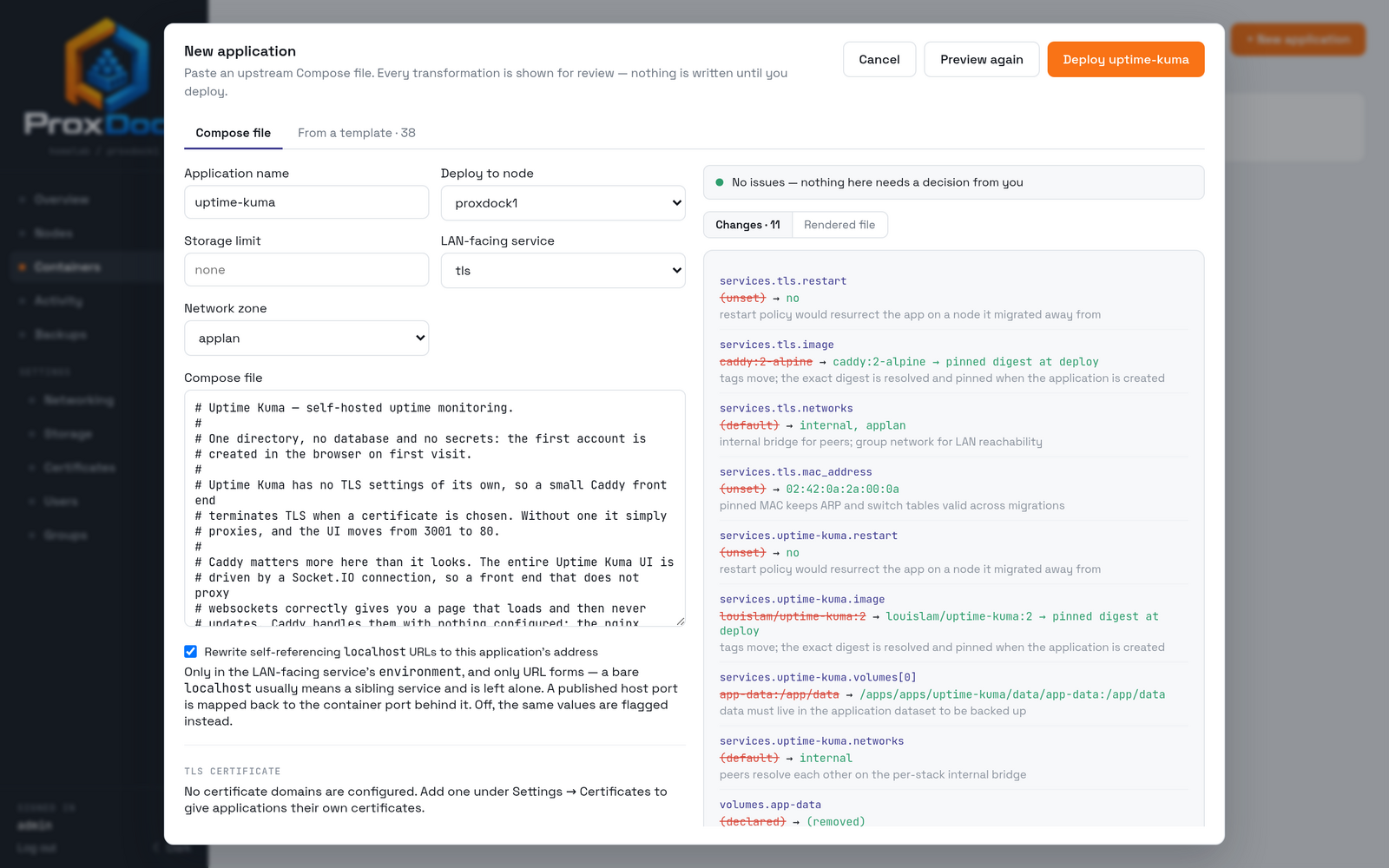
Each change is a path, a before, an after, and a reason. Warnings are separated from refusals: a warning is something you should know about, a refusal is something that will not deploy. If a file needs no changes at all, the preview says so rather than showing an empty list.
The reasons are the point. restart is not forced off because ProxDock
dislikes restart policies; it is forced off because a restart policy would
resurrect the application on a node it migrated away from. Every line in the
preview reads like that, so you can disagree with one on its merits rather than
guessing at intent.